Introduction
Choosing the right ebook creation software can feel harder than it should be. Some tools focus on writing, others on design, and others on publishing. Many claim to do everything, but very few actually fit your specific goal.
The truth is simple. The best ebook creation software depends on what you want to create, how much control you need, and where the ebook will live once it’s finished. A lead magnet PDF, a Kindle ebook, and a professionally designed product all require different software strengths.
This guide breaks down the best ebook creation software by use case. You’ll see which options work best for beginners, which ones give full design control, and which are built for publishing and distribution. By the end, you’ll know exactly which software fits your needs and why.
Key Takeaways
- The best ebook creation software depends on your goal, not on popularity.
- Beginner-friendly software prioritizes speed and simplicity over advanced layout control.
- Professional ebook design software offers full control but comes with a learning curve.
- Marketing ebooks and lead magnets require different software than store-ready ebooks.
- Publishing-focused ebook creation software is essential for EPUB, Kindle, and distribution platforms.
- Choosing software by use case prevents formatting issues and wasted time later.
Disclaimer: I am an independent Affiliate. The opinions expressed here are my own and are not official statements. If you follow a link and make a purchase, I may earn a commission.
How This Ebook Creation Software List Is Organized
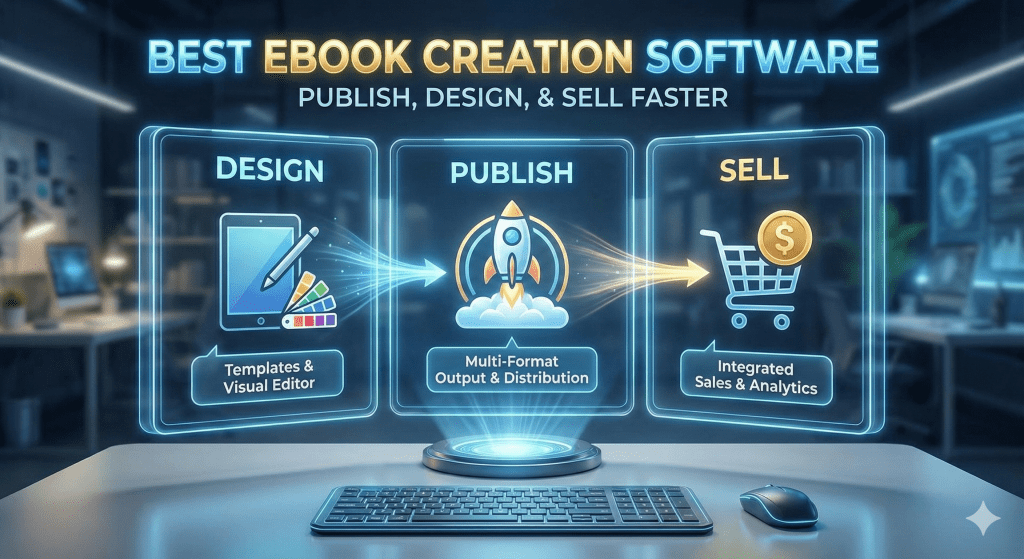
This list is organized by use case, not popularity or feature count. Ebook creation software works best when it matches how you plan to use the finished ebook. Organizing the software this way makes it easier to choose the right option without overthinking technical details.
Each section groups software based on the primary problem it solves. Some tools focus on simplicity, others on design control, and others on publishing standards or marketing output. No single ebook creation software is best for every situation.
Here is the logic behind the structure:
- Skill level: Beginner-friendly software prioritizes ease of use. Advanced software assumes design or publishing experience.
- Output format: Some software is best for PDFs. Others are built for EPUB, Kindle, or print-ready files.
- Purpose of the ebook: A lead magnet, a paid product, and a bookstore ebook each require different software strengths.
- Workflow preference: Writing-first, design-first, and publishing-first tools serve different creation styles.
Software appears in the section where it performs best. In some cases, the same software may be relevant in more than one category. When that happens, it is because the software genuinely supports multiple use cases, not because it is being forced into the list.
This structure is meant to help you narrow choices quickly. Instead of comparing every tool against every other tool, you start with your goal and then review only the ebook creation software designed to support it.

Best Ebook Creation Software for Beginners Who Want Simple Results
If you want to create an ebook without learning complex design software, start here. Beginner-friendly ebook creation software focuses on speed, familiar interfaces, and clean output. These tools help you get a finished ebook without worrying about advanced layouts or technical formatting.
This category works best if you are creating:
- Your first ebook
- A short PDF or guide
- A simple text-forward ebook with light visuals
Canva
Canva is one of the easiest ways to create an ebook from scratch. It uses drag-and-drop editing, pre-designed ebook templates, and simple export options.
Canva works best if you want:
- A visually clean PDF
- Branded ebooks or lead magnets
- Fast results without design experience
The tradeoff is limited control over advanced ebook formats like EPUB. Canva shines for PDFs, not bookstore publishing.
Google Docs
Google Docs is often overlooked as ebook creation software, but it is a strong option for text-first projects. The interface is familiar, and collaboration is effortless.
Google Docs works best if you want:
- A writing-focused environment
- Simple formatting
- Easy export to PDF or DOCX for later conversion
You will need another tool if you plan to publish to Kindle or need complex layouts. On its own, Google Docs is about writing clarity, not design.
Reedsy Book Editor
Reedsy Book Editor is built specifically for authors and ebook creation. It strips away design complexity and focuses on clean structure and professional output.
Reedsy works best if you want:
- A distraction-free writing experience
- Clean EPUB and PDF exports
- Book-ready formatting without manual layout work
It offers less visual flexibility than design tools, but the output quality is excellent for publishing platforms.
Why These Tools Are Ideal for Beginners
Beginner ebook creation software shares three traits:
- Minimal learning curve
- Pre-built structure or templates
- Fewer ways to break formatting
If your goal is to finish an ebook quickly and move on to publishing or marketing, these tools remove friction instead of adding it.

Best Ebook Creation Software for Professional Design and Layout Control
Professional ebook creation software is built for precision. These tools give you control over typography, spacing, grids, and page structure. They are designed for creators who care deeply about how an ebook looks, not just what it says.
This category is best if you are:
- Designing premium or paid ebooks
- Creating visually rich or brand-heavy layouts
- Preparing ebooks for print and high-quality digital formats
These tools take more time to learn, but they reward that effort with full creative control.
Adobe InDesign
Adobe InDesign is the industry standard for professional layout and publishing. It offers complete control over every design element, from typography styles to page grids and master layouts.
InDesign works best if you want:
- Full control over ebook and print layouts
- Professional typography and styling
- EPUB and print-ready exports from the same source file
The main drawbacks are complexity and cost. InDesign is powerful, but it assumes design experience and a subscription commitment.
Affinity Publisher
Affinity Publisher is a strong alternative for creators who want professional layout control without a subscription. It offers many of the same core layout tools as InDesign, with a simpler pricing model.
Affinity Publisher works best if you want:
- Advanced layout and typography control
- A one-time software purchase
- High-quality PDF output for digital or print use
Its EPUB workflow is improving, but it is still more commonly used for PDF-based ebooks and print layouts.
Scrivener
Scrivener is not a traditional design tool, but it plays an important role in professional ebook creation workflows. It excels at managing complex manuscripts before they move into layout software.
Scrivener works best if you want:
- Strong structural control over long-form content
- Flexible export options for later design work
- A writing-first workflow that supports large projects
Scrivener is often paired with InDesign or other layout software rather than used alone for final design.
When Professional Design Software Is the Right Choice
You should choose professional ebook creation software if:
- Design quality is part of the product’s value
- You need consistent branding across multiple ebooks
- You want control that template-based tools cannot provide
If your priority is speed or simplicity, beginner-focused software will feel easier. If presentation and polish matter, these tools are worth the learning curve.
Best Ebook Creation Software for Lead Magnets, PDFs, and Marketing Ebooks
Marketing ebooks serve a different purpose than store-ready books. Their job is to attract attention, support email capture, and reinforce brand authority. Ebook creation software in this category prioritizes speed, visual consistency, and PDF output over strict publishing standards.
This category is best if you are creating:
- Lead magnets and gated downloads
- Branded PDFs for email marketing
- Short ebooks used in funnels or promotions
The focus here is clarity, presentation, and conversion.
Canva
Canva is one of the most widely used ebook creation software options for marketing teams. Its templates, brand kits, and drag-and-drop editor make it easy to produce polished ebooks that match other marketing assets.
Canva works best if you want:
- Visually branded lead magnets
- Consistent design across marketing materials
- Fast updates without design complexity
Canva is PDF-first, which aligns well with how marketing ebooks are typically distributed.
Beacon
Beacon is ebook creation software built specifically for lead generation. It automates layout and formatting while connecting directly to email capture workflows.
Beacon works best if you want:
- Lead magnets tied to email signup forms
- Quick ebook creation from existing content
- Simple, conversion-focused layouts
It offers limited design flexibility, but it saves time for marketers who value speed and integration.
Designrr
Designrr focuses on turning existing content into downloadable ebooks. It is commonly used to convert blog posts, videos, or podcasts into PDFs with minimal manual work.
Designrr works best if you want:
- Content repurposed into ebooks
- Automated formatting
- Marketing-ready PDFs without starting from scratch
Designrr trades advanced design control for efficiency, which suits content-heavy marketing workflows.
Why Marketing Ebook Software Is Different
Marketing-focused ebook creation software is built around:
- Speed to launch
- Visual consistency
- Support for lead generation
If your ebook supports a broader marketing system, these tools reduce production time and help maintain brand alignment. Publishing standards matter less here than clarity, polish, and ease of distribution.

Best Ebook Creation Software for EPUB, Kindle, and Publishing Platforms
If you plan to sell or distribute your ebook through platforms like Amazon Kindle or other ebook stores, formatting standards matter. Ebook creation software in this category focuses on clean EPUB files, Kindle compatibility, and distribution-ready output rather than visual design speed.
This category is best if you are:
- Publishing to Kindle or ebook stores
- Selling ebooks through marketplaces
- Creating long-form ebooks that must meet platform requirements
Here, structure and compliance matter more than visual flair.
Scrivener
Scrivener is widely used by authors preparing ebooks for publication. It excels at managing long manuscripts and exporting clean files that can be converted for Kindle and EPUB platforms.
Scrivener works best if you want:
- Strong control over chapters and structure
- Flexible export options
- A writing-first workflow before final formatting
Scrivener often pairs well with conversion tools or publishing platforms rather than acting as the final stop on its own.
Vellum
Vellum is purpose-built ebook creation software for publishing. It automates formatting while producing high-quality EPUB and Kindle files that meet platform standards.
Vellum works best if you want:
- Clean, professional ebook formatting
- Kindle and EPUB output without manual coding
- A simple interface focused on publishing
It offers limited design flexibility, but the output quality is consistently strong for store distribution.
Atticus
Atticus combines writing, formatting, and publishing in one browser-based platform. It aims to replace multi-tool workflows with a single environment.
Atticus works best if you want:
- An all-in-one ebook creation and publishing tool
- EPUB and Kindle-ready exports
- A modern, cloud-based workflow
It does not offer the deep layout control of professional design software, but it simplifies the publishing process.
Why Publishing-Focused Software Matters
Ebook stores enforce formatting rules. Software built for publishing:
- Reduces formatting errors
- Prevents rejection by platforms
- Produces consistent reading experiences across devices
If your ebook will be sold or distributed publicly, using publishing-focused ebook creation software saves time and avoids costly mistakes.

How to Choose the Right Ebook Creation Software for Your Goals
The right ebook creation software depends on what you are creating, how it will be used, and how much control you need. There is no single best option for everyone, but there is a best fit for each situation.
Start with your primary goal, then narrow your choice.
If Your Priority Is Speed and Simplicity
Choose beginner-focused ebook creation software if:
- You want to finish an ebook quickly
- Design precision is not critical
- You are creating a short guide, PDF, or first ebook
These tools reduce friction and help you move from idea to finished file without technical overhead.
If Your Priority Is Visual Quality and Branding
Choose professional design-focused ebook creation software if:
- The ebook is a paid or premium product
- Design quality affects perceived value
- You need consistent branding across pages
These tools require more time to learn, but they give you full control over layout, typography, and presentation.
If Your Priority Is Marketing and Lead Generation
Choose marketing-focused ebook creation software if:
- The ebook supports email capture or funnels
- You need fast updates and branded assets
- PDF distribution is your main format
In this case, conversion and clarity matter more than publishing standards.
If Your Priority Is Publishing and Distribution
Choose publishing-focused ebook creation software if:
- You are selling through Kindle or ebook stores
- EPUB and platform compliance matters
- You want to avoid formatting issues or rejections
These tools focus on structure, consistency, and clean output rather than visual experimentation.
A Simple Decision Rule
If you are unsure, follow this rule:
- Write-first goal → choose writing-focused software
- Design-first goal → choose layout-focused software
- Sell or distribute goal → choose publishing-focused software
- Market or capture leads goal → choose marketing-focused software
Choosing ebook creation software by goal prevents rework, formatting issues, and wasted time later.
Common Mistakes When Choosing Ebook Creation Software
Most problems with ebook creation do not come from poor writing. They come from choosing software that does not match the job. These mistakes lead to rework, formatting issues, and unnecessary frustration.
Avoid these common pitfalls.
Choosing Software Based on Popularity Instead of Purpose
Well-known software is not always the right fit. Popular tools often excel at one use case but fall short in others. When you choose based on name recognition alone, you risk working against the software instead of with it.
Always start with your goal, not the brand.
Using Design-Heavy Software for Writing-First Projects
Advanced layout tools can slow you down if your primary task is writing. They introduce decisions about spacing, styles, and structure before the content is ready.
If you are still drafting, writing-focused ebook creation software is the better starting point.
Creating Publishing-Ready Ebooks in PDF-Only Software
PDFs work well for lead magnets and downloads, but they are not suitable for ebook stores. Many creators discover this too late and have to rebuild their ebook in different software.
If you plan to publish to Kindle or sell through platforms, choose software that supports proper EPUB output from the beginning.
Expecting One Tool to Handle Every Stage Perfectly
No single ebook creation software excels at writing, design, marketing, and publishing equally. Expecting one tool to do everything often leads to compromises.
It is normal to use:
- One tool for writing
- Another for layout
- Another for publishing or distribution
That is a workflow choice, not a failure.
Ignoring the Learning Curve
Some ebook creation software is powerful but demanding. Choosing advanced software without the time or interest to learn it often stalls projects.
If ease of use matters, choose simpler software and accept its limitations.
Bottom Line
The right ebook creation software removes friction. The wrong choice adds it.
When software aligns with your goal, the process feels straightforward. When it does not, every step feels harder than it should.
Conclusion
The best ebook creation software is the one that fits your goal, not the one with the longest feature list. Writing an ebook, designing a premium product, publishing to Kindle, or creating a lead magnet are all different jobs. Each job demands different software strengths.
Beginner-friendly ebook creation software helps you move fast and finish. Design-focused software gives you control and polish. Publishing-focused software protects you from formatting issues and platform rejections. Marketing-focused software supports conversion and branding.
When you choose software based on how the ebook will be used, the entire process becomes easier. You spend less time fixing problems and more time creating something that works.
If you take one thing away from this guide, let it be this: clarity about your goal matters more than the tool itself. Once that goal is clear, the right ebook creation software becomes obvious.

Frequently Asked Questions
What is the best ebook creation software for beginners?
The best ebook creation software for beginners is the one that removes friction. Tools like Canva, Google Docs, and Reedsy Book Editor are popular because they are easy to learn and help you finish an ebook without dealing with complex formatting or design rules. The right choice depends on whether your priority is writing, simple design, or clean book structure.
Can I use free ebook creation software?
Yes. Several ebook creation software options offer free plans or free versions. Free tools work well for simple PDFs, first ebooks, or drafts. However, advanced features such as professional layout control, EPUB exports, or publishing tools often require a paid plan.
What ebook creation software is best for Kindle publishing?
For Kindle publishing, you need ebook creation software that supports clean EPUB or Kindle-ready formats. Software designed for publishing focuses on structure, consistency, and compliance with platform requirements rather than visual design flexibility.
Is ebook creation software the same as ebook publishing software?
Not always. Ebook creation software focuses on writing, design, or formatting. Ebook publishing software focuses on preparing files for distribution and meeting store requirements. Some tools do both, but many creators use one tool to create the ebook and another to publish it.
Should I choose one ebook creation software or use multiple tools?
Many creators use more than one tool. For example, you might write in one software, design in another, and publish using a third. This is normal and often produces better results than forcing one tool to handle every stage.
Do I need design skills to use ebook creation software?
Not necessarily. Beginner-focused ebook creation software uses templates and automation to reduce the need for design skills. Professional design software offers more control but assumes some familiarity with layout and typography.
What format should my ebook be in?
The format depends on how the ebook will be used. PDFs are common for lead magnets and downloads. EPUB or Kindle formats are required for ebook stores and marketplaces. Choosing ebook creation software that supports your intended format from the start prevents rework later.

0 Comments