Introduction: Why Most AI Prompts Fail
Most people don’t get bad results from AI because the tool is weak. They get bad results because the instructions are incomplete.
AI models respond exactly to what they’re given. If the prompt lacks context, the AI fills in the gaps. If the task isn’t clear, the response wanders. If there are no rules, the output becomes bloated, generic, or slightly off in tone. The result feels frustrating, even though the problem isn’t the AI itself.
This is where the CARE Prompt Framework comes in.
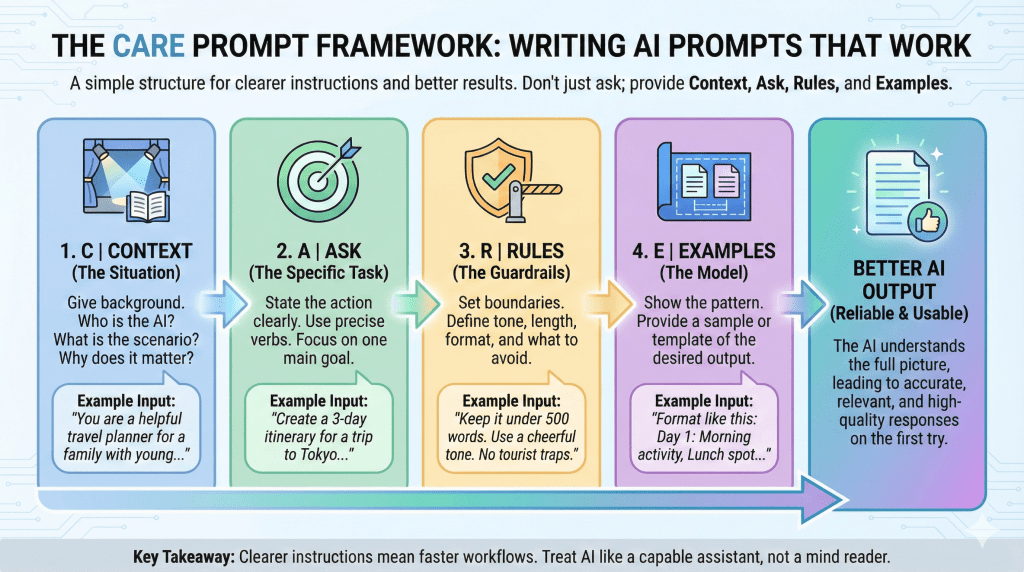
CARE stands for Context, Ask, Rules, and Examples. It’s a simple, human way to structure prompts so the AI understands the situation, the task, and the boundaries before it starts generating anything. No technical jargon. No overengineering. Just clearer instructions that lead to better results.
In this guide, you’ll learn how the CARE framework works, why it’s effective, and how to use it to write prompts that are more accurate, consistent, and easier to reuse.
Key Takeaways
- Most AI prompt failures come from missing information, not weak models. Incomplete instructions lead to generic or off-target output.
- The CARE framework simplifies prompting. Using Context, Ask, Rules, and Examples helps the AI understand the situation, task, and boundaries before responding.
- Context is the most commonly overlooked element. Even one or two lines of background can dramatically improve tone and relevance.
- Clear Asks produce cleaner outputs. Specific verbs and a single focused task prevent the AI from guessing or overexplaining.
- Rules act as guardrails. Constraints on tone, length, and structure reduce editing time and improve consistency.
- Examples speed up alignment. Showing a pattern or tone is often more effective than explaining it.
- CARE is flexible, not rigid. You don’t need all four parts every time, use more structure when the task matters.
- Better prompts lead to faster workflows. Clear instructions turn AI into a reliable assistant instead of a trial-and-error tool.
Disclaimer: I am an independent Affiliate. The opinions expressed here are my own and are not official statements. If you follow a link and make a purchase, I may earn a commission.
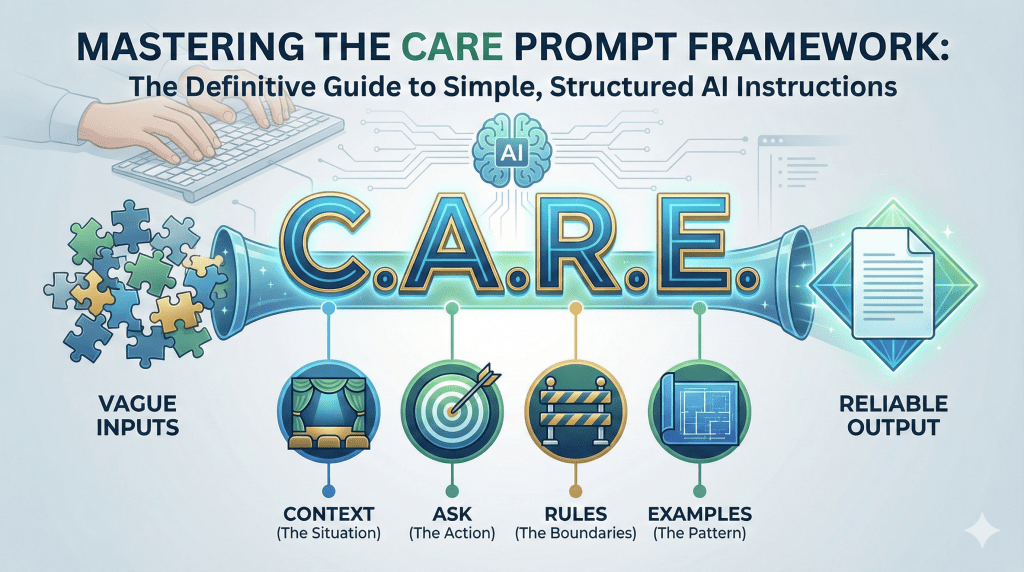
What Is the CARE Prompt Framework?
The CARE Prompt Framework is a simple method for giving AI clearer, more complete instructions.
CARE stands for Context, Ask, Rules, and Examples. Each part represents a piece of information the AI needs in order to produce a useful, on-target response. When one of these pieces is missing, the output often feels generic, misaligned, or incomplete.
What makes CARE effective is that it mirrors how humans naturally give instructions. When you ask another person for help, you usually explain the situation, say what you need, set expectations, and sometimes show an example. CARE applies that same logic to AI prompting.
This framework is not tied to any specific tool. It works with ChatGPT, Claude, Gemini, and other language models because it focuses on communication, not technology. You don’t need to write “Context:” or “Rules:” every time you use it. Instead, CARE acts as a mental checklist to make sure your prompt includes everything the AI needs before it responds.
Most importantly, CARE is practical. It’s designed for everyday tasks like writing emails, summarizing documents, creating content, handling customer messages, or explaining ideas clearly. You can use it for short prompts or detailed ones, depending on how complex the task is.
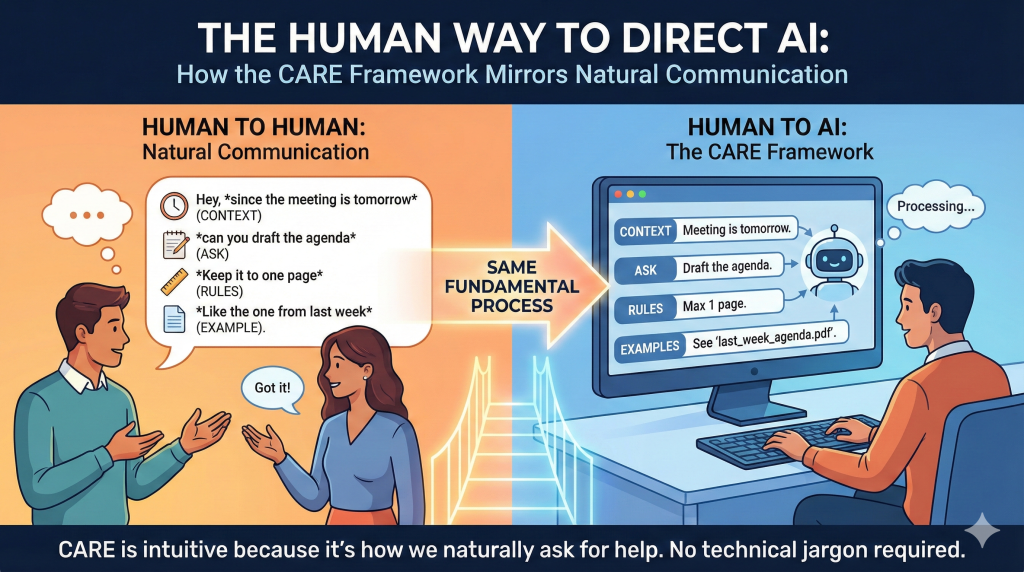
Context: Give the AI the Situation First
Context is the foundation of the CARE framework. It answers the question: What’s going on?
When you provide context, you give the AI the background it needs to understand the situation before it tries to respond. This can include who the output is for, what has already happened, why the task matters, or any constraints tied to the situation. Without context, the AI is forced to guess and those guesses are usually based on generic patterns rather than your specific reality.
A prompt without context might technically be correct, but it often misses the mark in tone, relevance, or usefulness.
Without context: “Write a response to this email.”
With context: “You’re replying to a customer who is upset because their order arrived late. They’ve emailed support twice already and are considering a refund.”
The second version gives the AI something to work with. It understands the emotional state of the reader, the urgency of the situation, and the risk involved.
Context doesn’t need to be long. Even one or two sentences can dramatically improve results. What matters is that the AI understands the setting well enough to make informed decisions instead of filling in gaps on its own.
This is also where many people under-prompt. They assume the AI “knows” what they mean. It doesn’t. It only knows what you tell it.

Ask: Be Clear About the Task
The “Ask” is the action you want the AI to perform. It’s the most direct part of the prompt and one of the most commonly misunderstood.
Many prompts fail because the task is vague, overloaded, or implied instead of stated. Words like help, think about, look at, or improve leave too much room for interpretation. When the AI isn’t sure what it’s supposed to do, the output becomes unfocused or generic.
Unclear ask: “Help me with this message.”
Clear ask: “Rewrite this message to sound professional and calm while clearly explaining the next steps.”
A good Ask uses specific verbs. Examples include:
- Write
- Rewrite
- Summarize
- Extract
- Classify
- Explain
- Compare
- Generate
It also focuses on one primary task. When you bundle multiple actions into a single prompt, the AI often does all of them poorly instead of one of them well.
Overloaded ask: “Summarize this document, rewrite it to sound friendlier, and suggest improvements.”
Focused ask: “Summarize this document into five bullet points highlighting the main decisions.”
Once the task is clear, you can always follow up with another prompt to refine tone or format. Clear Asks lead to cleaner outputs and make iteration easier.

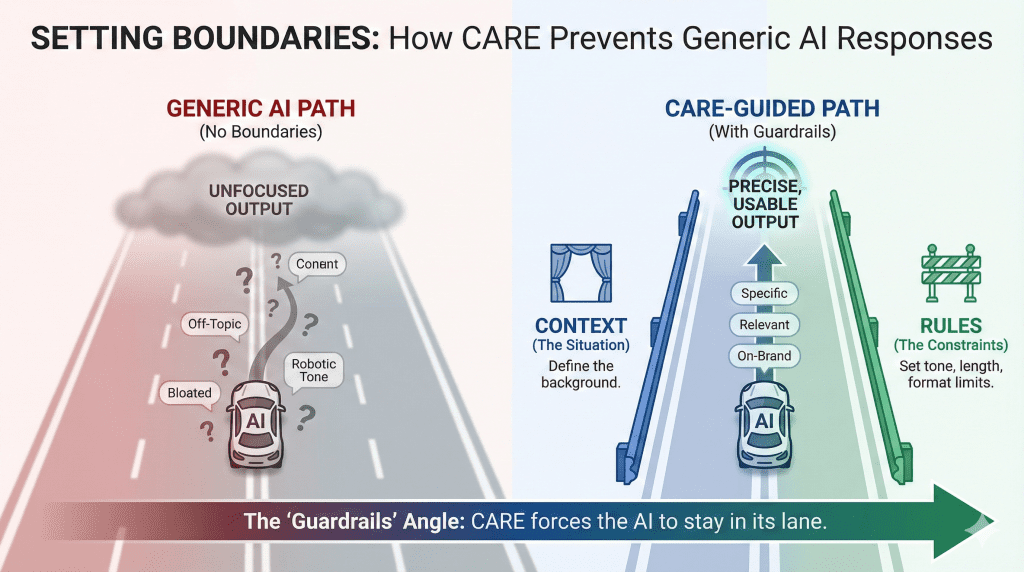
Rules: Set Guardrails Before the AI Responds
Rules define the boundaries the AI should operate within. They tell the model what to do, what to avoid, and how far to go.
Without rules, AI tends to over-explain, wander off-topic, or default to generic phrasing. With even a few simple constraints, the output becomes tighter, more relevant, and easier to use.
Rules can include:
- Length limits
- Tone requirements
- Style preferences
- Words or phrases to avoid
- Structural boundaries
Weak rule: “Keep it short.”
Clear rule: “Limit the response to three sentences. Use a calm, professional tone. Do not use marketing buzzwords.”
Rules are especially powerful when tone or accuracy matters. For example, in customer support, HR, or sales messaging, rules help prevent responses that sound robotic, defensive, or overly promotional.
Another overlooked benefit of rules is that they reduce editing time. Instead of fixing the output after the fact, you shape it before the AI starts writing.
Rules don’t need to be complex. One or two well-chosen constraints often make the difference between a usable response and one that needs rewriting.
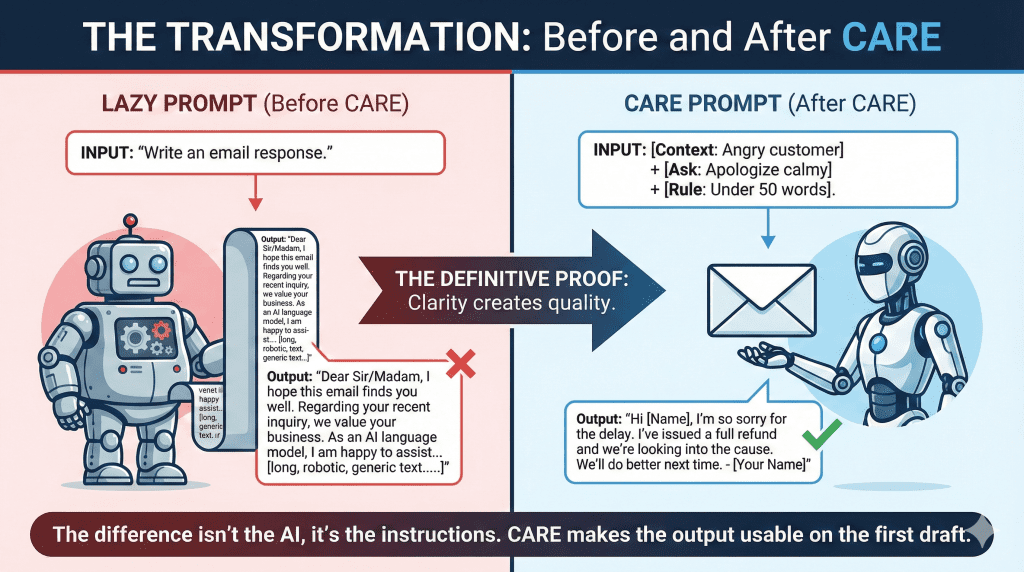
Examples: Show the Pattern You Want
Examples are often the fastest way to improve AI output.
While instructions explain what you want, examples show the AI how it should look. Even a short example can dramatically reduce ambiguity and bring the response closer to what you have in mind.
Examples can take many forms:
- A sample sentence that captures the right tone
- A short paragraph showing structure
- A before-and-after comparison
- A template or outline
Without an example: “Write a friendly response to this customer.”
With an example: “Write a friendly response similar in tone to: ‘Thanks for reaching out I understand how frustrating this must be, and I’m happy to help resolve it.’”
Examples are especially useful when:
- Tone matters
- You want consistency across multiple outputs
- The task involves judgment or nuance
- You’re repeating the same type of prompt often
You don’t need a perfect example. The goal isn’t to give the AI something to copy word-for-word, but to give it a pattern to follow. Even a rough reference helps the model align its response faster.
With Context, Ask, Rules, and Examples in place, you now have a complete framework for writing clearer, more reliable prompts.
The CARE Framework in One Prompt (Full Example)
Seeing CARE in action makes the framework easier to understand and easier to use.
Below is a single prompt that includes all four elements Context, Ask, Rules, and Examples working together. Notice how each part removes uncertainty before the AI starts responding.
Full CARE Prompt Example:
Context: You are a customer support agent responding to a user whose subscription was accidentally charged twice. The customer is frustrated and wants an explanation.
Ask: Write an email response explaining the mistake and how it will be resolved.
Rules: Keep the response under 120 words. Use a calm, professional tone. Apologize without blaming the customer or the system.
Examples: Match the tone of this sentence: “Thanks for bringing this to our attention we’ve already taken steps to fix the issue.”
This prompt works because the AI understands:
- The situation and emotional context
- The specific task it needs to perform
- The boundaries it must stay within
- The tone and structure you expect
You don’t need to label each section every time you use CARE. Over time, this structure becomes intuitive. You’ll naturally include context first, then state the task, add a few guardrails, and optionally provide an example when precision matters.
When to Use the CARE Framework (And When Not To)
The CARE framework is most effective when the task requires clarity, nuance, or consistency. It shines in situations where a vague prompt would lead to misunderstandings, tone issues, or unnecessary back-and-forth.
You’ll get the most value from CARE when:
- The task involves written communication with real people, such as emails, customer support replies, or internal messages
- Tone and wording matter, especially in sensitive situations
- You’re repeating the same type of task and want consistent results
- The output needs to be accurate, structured, or policy-aware
Examples include customer responses, sales messages, onboarding documentation, performance feedback, and explanations of complex topics.
That said, CARE isn’t always necessary.
For quick, low-stakes tasks, a simple prompt is often enough. Brainstorming ideas, generating a rough outline, or asking for a short summary doesn’t always require full context, rules, and examples. Using CARE for every prompt can slow you down if the task is straightforward.
A good rule of thumb is this: If the first response needs to be usable without heavy editing, CARE is worth using. If you’re just exploring or ideating, keep it light.
CARE vs Other Prompt Frameworks
The CARE framework isn’t the only way to structure AI prompts, but it stands out for its simplicity and practicality.
Many prompt frameworks focus on technical structure or abstract concepts. They work well for advanced users, but they can feel rigid or unintuitive for everyday tasks. CARE takes a different approach. It mirrors how people naturally give instructions, which makes it easier to remember and apply without slowing down.
Compared to more formula-heavy frameworks, CARE acts less like a strict template and more like a checklist. You’re not required to follow a fixed order or label each part explicitly. Instead, you mentally confirm that you’ve provided enough context, a clear task, reasonable rules, and an example when needed.
CARE also works well alongside other frameworks. If you already use a role-based or task-based structure, CARE helps you spot what’s missing. For example, if an output feels off, you can ask yourself: Did I give enough context? Were the rules clear? Would an example help?
The key difference is accessibility. CARE is easy to teach, easy to reuse, and flexible enough to work across writing, analysis, customer communication, and internal workflows without feeling over-engineered.
How to Start Using CARE Without Slowing Down
The goal of the CARE framework isn’t to make prompts longer or more complicated. It’s to reduce the time you spend fixing AI output after the fact.
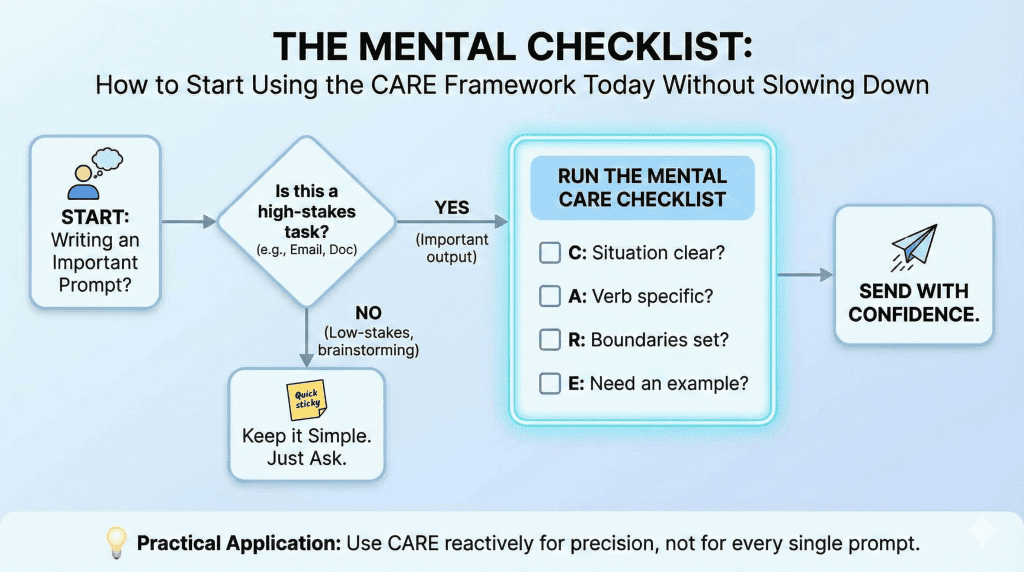
You don’t need to write out “Context,” “Ask,” “Rules,” and “Examples” every time you use AI. Instead, think of CARE as a quick mental checklist. Before you hit enter, ask yourself whether the AI has enough information to understand the situation, the task, and the boundaries.
A practical way to start is to use CARE only for prompts that matter. Important emails, customer responses, internal documentation, or anything you plan to reuse later are good candidates. For simple tasks, keep your prompts short and informal.
Another effective habit is to use CARE reactively. If the first response isn’t quite right, don’t rewrite the whole prompt. Identify what’s missing. Is the context unclear? Is the task too broad? Are there no rules guiding tone or length? Adding one missing CARE element is often enough to fix the result.
Over time, CARE becomes second nature. Your prompts get clearer, your outputs improve, and you spend less time correcting or rephrasing AI-generated content.

Conclusion: Better Prompts Start With Better Instructions
AI tools are powerful, but they don’t think for you. They respond to the instructions you give them.
The CARE Prompt Framework works because it forces clarity. By providing context, stating a clear ask, setting rules, and showing examples when needed, you remove ambiguity before the AI ever starts generating a response. The result is output that feels more intentional, accurate, and usable from the first draft.
You don’t need to apply CARE to every prompt you write. Start small. Use it when the task matters, when tone is important, or when you’re tired of editing the same type of output over and over again. As you practice, the framework becomes automatic.
Better prompts aren’t about tricks or clever phrasing. They’re about giving better instructions. When you do that, AI becomes a reliable assistant instead of a frustrating one.
Frequently Asked Questions
What does CARE stand for in AI prompting?
CARE stands for Context, Ask, Rules, and Examples. It’s a prompt framework designed to help you give AI clearer, more complete instructions so the output is accurate, relevant, and easier to use.
Do I need to use all four parts of CARE every time?
No. CARE is a checklist, not a rigid template. For simple tasks, you might only need a clear Ask. For more important or sensitive tasks, adding Context, Rules, or Examples significantly improves results.
Is the CARE framework better than other prompt frameworks?
CARE isn’t meant to replace other frameworks. It’s more conversational and easier to apply for everyday tasks. Many people use CARE alongside role-based or task-based formulas to quickly spot what’s missing from a prompt.
Can I use the CARE framework with any AI tool?
Yes. CARE works with ChatGPT, Claude, Gemini, and other language models because it focuses on how you communicate instructions, not on platform-specific features.
When should I avoid using CARE?
CARE may be unnecessary for low-stakes or exploratory tasks like brainstorming ideas, quick summaries, or casual experimentation. It’s most useful when you want a clean first draft with minimal editing.
How do I fix a bad AI response using CARE?
Instead of rewriting the entire prompt, identify what’s missing. Add more context, clarify the ask, introduce a rule, or include a short example. Often, adding just one CARE element is enough to correct the output.
Is CARE suitable for beginners?
Yes. CARE is especially helpful for beginners because it mirrors how people naturally give instructions. You don’t need technical knowledge to use it effectively.

0 Comments