A good prompt can change the quality of an entire AI output.
The problem is that most people do not start with a clear prompt. They start with a rough idea, a half-formed request, or a vague instruction. The AI responds, but the result often needs too much fixing because the original direction was not specific enough.
Prompt generators help solve that problem. They turn unclear ideas into better instructions by adding structure, context, tone, format, and constraints before you send the request to an AI tool.
This guide compares the best prompt generators for writing, content, marketing, SEO, productivity, and creative work. You will see what each tool is best for, where it fits, what its limitations are, and how to choose the right one for your workflow.
Key Takeaways
Prompt generators help turn rough ideas into clearer AI instructions by adding context, structure, tone, format, and constraints.
The best prompt generator depends on the type of work you do, such as writing, SEO, marketing, image generation, productivity, or general brainstorming.
Some tools are better for ready-made templates, while others are stronger for refining custom prompts or exploring community examples.
A strong prompt generator should reduce revision time, improve consistency, and make AI outputs easier to use.
Prompt generators can improve the starting point, but you still need to review, edit, and guide the final output.
The right tool is the one that fits your workflow, not necessarily the one with the largest prompt library.
Disclaimer: I am an independent Affiliate. The opinions expressed here are my own and are not official statements. If you follow a link and make a purchase, I may earn a commission.
How We Chose The Best Prompt Generators
Not every prompt tool belongs on a best-of list.
Some tools are useful because they help you refine a rough request. Others are better for saving templates, exploring community prompts, creating marketing content, or building image prompts with more visual detail.
To compare them fairly, we focused on the factors that affect real use.
Prompt Quality: Does the tool help create clearer, more useful prompts?
Ease Of Use: Can a beginner understand the tool without a complicated setup?
Use Case Fit: Is the tool strong for writing, content, SEO, marketing, images, productivity, or general brainstorming?
Customization: Can users adjust tone, format, audience, constraints, and output goals?
Workflow Value: Does the tool save time or make repeated tasks easier?
Limitations: Does the tool have a narrow focus, mixed prompt quality, pricing limits, or a learning curve?
The goal is not to rank tools by popularity alone.
A good prompt generator should help you move from a vague idea to a usable instruction. The best one for you depends on the kind of AI work you do most often.
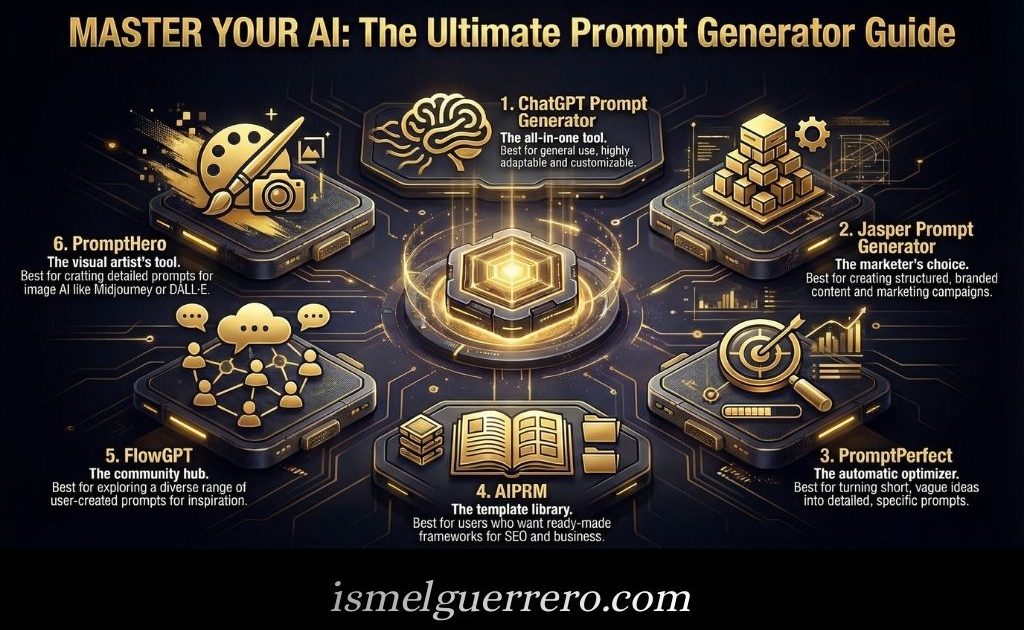
Best Prompt Generators At A Glance
Use this table to compare the main options before reading the full breakdown.
Useful for studying visual prompt examples and creative styles
Best for image workflows, not general text prompting
The best choice depends on what you need the prompt generator to do.
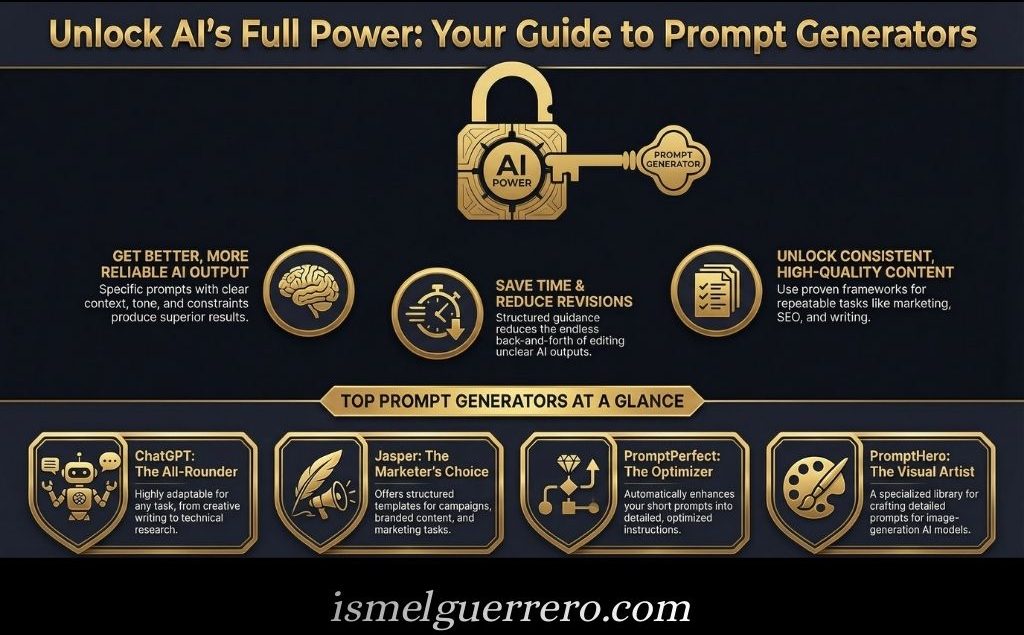
If you want flexibility, start with ChatGPT. If you want ready-made templates, AIPRM or Jasper may fit better. If you want to refine rough prompts, PromptPerfect is more focused. If you want visual prompt ideas, PromptHero is the better match.
Best for: Flexible prompt creation, rewriting, brainstorming, and refinement.
ChatGPT is not a prompt generator in the traditional template-library sense. It is more flexible than that. You can ask it to turn a rough idea into a stronger prompt, create prompt variations, refine instructions for a specific task, or build reusable prompt frameworks for your workflow.
This makes it one of the most useful options for people who want control. Instead of choosing from a fixed template, you can explain the outcome you want and ask ChatGPT to create a better instruction set around it.
For example, you can ask ChatGPT to create prompts for blog outlines, product descriptions, research summaries, email campaigns, story ideas, image concepts, or customer support replies.
The trade-off is that ChatGPT works best when you give it clear direction. If your request is too vague, the prompt it creates may also feel generic.
Best fit: Users who want one flexible tool for many types of prompts.
Main limitation: It depends heavily on the quality of your starting instructions.
Best for: Ready-made prompt templates and repeatable ChatGPT workflows.
AIPRM is built around prompt templates. It gives users access to prompt frameworks for tasks like writing, SEO, marketing, productivity, business, and content creation.
This is useful if you do not want to build every prompt from scratch. Instead, you can choose a template, adjust the details, and use it as a starting point for a specific task.
AIPRM can be especially helpful for people who repeat similar AI tasks often. For example, if you regularly create blog outlines, social captions, keyword ideas, or email drafts, a prompt library can save time and keep your workflow more consistent.
The trade-off is that template quality can vary. A prompt that works well for one person may still need editing to fit your audience, brand, or output goal.
Best fit: Writers, marketers, and business users who want reusable prompt frameworks.
Main limitation: Templates still need review and customization.
Best for: Turning short or unclear prompts into more detailed instructions.
PromptPerfect is designed to improve prompts before you send them to an AI model. Instead of giving the AI a rough request, you can use the tool to expand, clarify, and structure the prompt first.
This makes it useful when you know what you want, but you are not sure how to phrase the request. A stronger prompt can include more context, clearer constraints, a better output format, and a more specific goal.
PromptPerfect is strongest when the original prompt is too vague or incomplete. It helps create a more polished instruction that gives the AI a better chance of producing a useful response.
The trade-off is that optimized prompts can sometimes feel heavier than necessary for simple tasks. Not every request needs a long or highly structured prompt.
Best fit: Users who want cleaner, more detailed prompts without rewriting them manually.
Main limitation: It may be more than you need for quick, simple AI tasks.
Best for: Marketing prompts, branded content, and campaign workflows.
Jasper is best known as an AI writing and marketing platform, and its prompt resources are most useful for people creating business or content assets.
It fits well when your prompts are tied to marketing work, such as ads, emails, landing pages, product descriptions, social content, campaign ideas, or brand messaging. The value is not just creating a prompt. It is creating a prompt that supports a specific marketing outcome.
Jasper may be a good fit for teams that need consistency across content. If multiple people are creating AI-assisted copy, having structured prompts and brand-aware workflows can help keep outputs aligned.
The trade-off is focus. Jasper is strongest for marketing and business content. If you only need general brainstorming or occasional prompt help, a broader tool may be enough.
Best fit: Content teams, marketers, business owners, and creators working on branded content.
Main limitation: Less useful if you do not need marketing-focused prompts.
Best for: Finding community-created prompt examples and inspiration.
FlowGPT is a community-driven platform where users can explore prompts, AI characters, workflows, and examples created by other people.
This makes it useful for inspiration. If you are new to prompting, seeing how others structure prompts can help you understand patterns, phrasing, roles, constraints, and formats that produce better outputs.
FlowGPT is not just a clean prompt optimizer. It is more of an exploration platform. That can be helpful when you want ideas, but it also means you need to be selective.
The trade-off is quality control. Community prompts can vary widely. Some may be useful. Others may be too broad, too gimmicky, or not suited to your exact task.
Best fit: Beginners and creative users who want prompt examples to study and adapt.
Main limitation: Community prompts often need editing before they are useful.
Best for: Content and marketing workflows that need AI writing support.
Writesonic is broader than a simple prompt generator. It is an AI writing and content platform, which makes it useful for users who want prompt support inside a larger content workflow.
It can fit creators, marketers, and businesses that need help with blog content, product copy, landing pages, ads, SEO content, or other marketing assets. In this case, the prompt support is part of a larger writing system rather than a standalone prompt tool.
That can be helpful if your goal is not only to write better prompts, but also to move from prompt to draft to content faster.
The trade-off is that Writesonic may be more platform than some users need. If you only want a tool to refine prompts, a more focused prompt generator may be simpler.
Best fit: Creators and marketers who want prompt help inside a broader AI writing workflow.
Main limitation: It is not only a prompt generator.
Best for: Image prompts, visual styles, and creative inspiration.
PromptHero is different from the other tools on this list because it is strongest for visual prompting.
It helps users explore prompts for AI image and video generation. This can be useful when you need ideas for style, composition, lighting, perspective, mood, or visual details.
PromptHero is a better fit for designers, artists, content creators, and marketers who use image models and want to understand how specific prompts influence visual outputs. It can help you study examples and adapt them for your own creative projects.
The trade-off is that PromptHero is not the best choice for general text prompting. If your main work is blog writing, SEO content, email drafts, or research summaries, another tool will probably fit better.
Best fit: Visual creators who want stronger image and creative prompts.
Main limitation: Best for image workflows, not general writing prompts.
What A Prompt Generator Actually Does
A prompt generator helps turn a rough idea into a clearer set of instructions for an AI tool.
Instead of asking an AI model something vague, a prompt generator helps you add the details that shape the output. That may include the goal, audience, tone, format, context, constraints, examples, or steps the AI should follow.
This matters because AI tools respond better when the request is specific. A weak prompt leaves too much open to interpretation. A stronger prompt gives the model a clearer job to do.
For example, this is a weak prompt:
Write a blog post about productivity.
A prompt generator might turn that into something more useful:
Write a beginner-friendly blog post about productivity for remote workers who struggle with distractions. Use a practical tone, include five actionable tips, avoid generic advice, and end with a short conclusion.
The second prompt gives the AI more direction. It defines the reader, topic, tone, structure, and quality standard.
That is what prompt generators are meant to do. They do not make the final output perfect, and they do not replace editing. They simply improve the starting instruction so the AI has a better chance of producing something useful.
Types Of Prompt Generators
Prompt generators are not all built for the same kind of work.
Some help you refine a rough instruction. Others give you templates, examples, visual prompt ideas, or workflow-specific prompts for marketing, writing, SEO, and productivity. Knowing the difference makes it easier to choose the right tool.
AI-powered prompt generators use an AI model to improve your original request.
You might start with a simple idea, then the tool expands it into a clearer prompt with more context, structure, and constraints. This type works well when you know what you want but need help turning it into better instructions.
Template-based prompt generators give you reusable frameworks for common tasks.
These are useful for repeatable work such as blog outlines, email drafts, product descriptions, social media posts, research summaries, and ad copy. Instead of writing from scratch, you fill in the details and adjust the template to fit your goal.
Community prompt libraries let users browse prompts created by other people.
These can be helpful for inspiration, especially when you are learning how strong prompts are structured. The trade-off is quality control. Community prompts often need editing before they fit your audience, task, or workflow.
Writing and marketing prompt generators focus on content creation.
They may help with headlines, brand messaging, SEO outlines, landing pages, newsletters, product copy, campaign ideas, and social posts. These tools are useful when your AI work is tied to publishing, selling, or communicating clearly.
Image prompt generators help create prompts for visual AI tools.
They focus on details like subject, style, lighting, composition, mood, perspective, color, and visual references. These tools are best for creators who work with AI images, design concepts, thumbnails, illustrations, or visual campaigns.
Workflow prompt generators help turn repeated tasks into structured AI instructions.
They can be useful for teams, freelancers, and creators who want consistent outputs for recurring work. Examples include client onboarding prompts, content brief prompts, research prompts, meeting summary prompts, and quality-check prompts.
The right type depends on your main use case. A writer may need templates. A designer may need image prompts. A marketer may need campaign prompts. A power user may need a flexible tool that can create and refine prompts across many tasks.
How To Choose The Right Prompt Generator
The right prompt generator depends on the work you do most often.
A writer does not need the same tool as a designer. A marketer may need repeatable campaign prompts, while a researcher may need prompts that help structure questions, compare ideas, or summarize information. The best choice is the tool that fits your actual workflow.
Before comparing features, decide what you need the prompt generator to help with.
If you write blog posts, emails, or newsletters, look for tools with strong writing and content templates. If you create ads, landing pages, or brand messaging, marketing-focused tools may fit better. If you work with AI images, choose a visual prompt tool instead of forcing a text prompt generator to do that job.
Some people want ready-made templates. Others want full control.
Template libraries are useful when you repeat similar tasks and want a fast starting point. AI-powered prompt refiners are better when each task is different and you want the tool to improve your instructions based on context.
Neither approach is automatically better. The right choice depends on whether you prefer guidance or flexibility.
A good prompt generator should make your AI outputs easier to use.
Test the tool with a task you do often. If the generated prompt gives you clearer, more relevant, and better-structured results, it may be worth keeping. If it creates long prompts that still need heavy editing, it may not save much time.
Strong prompts usually include context, audience, tone, format, constraints, and examples.
The best prompt generators make it easy to adjust those details. If a tool only gives generic prompts with little room to customize, it may limit the quality of your final output.
A paid prompt generator may make sense if you use AI every day for work, content, marketing, or client projects.
If you only need occasional help, a free tool, template library, or ChatGPT itself may be enough. The price should match the value it adds to your workflow.
The most popular prompt generator is not always the best one for your work.
A large prompt library can be useful, but only if the prompts match your goals. A smaller, more focused tool may be better if it produces cleaner instructions for the tasks you actually repeat.
Choose the tool that reduces friction. If it helps you get from idea to usable output faster, it is doing its job.
Prompt Templates You Can Use Right Away
Prompt templates give you a repeatable starting point when you want better AI outputs without rewriting your instructions from scratch.
Use these examples as flexible frameworks. You can paste them into ChatGPT or another AI tool, then adjust the goal, audience, tone, format, and details based on the task.
Use this when you want help with almost any task.
Help me complete this task: [describe the task].

My goal is: [describe the outcome you want].

The audience or context is: [describe who this is for or where it will be used].

Use this tone: [describe tone].

Format the answer as: [describe format].

Before answering, ask for clarification only if something important is missing.
Use this for articles, emails, captions, scripts, stories, or long-form content.
Write [type of content] about [topic] for [target reader].

The goal is to [inform, persuade, explain, entertain, compare, or guide].

Use a [tone] tone.

Cover these points: [list key points].

Avoid: [list anything to avoid].

Structure the output with [headings, bullets, short paragraphs, examples, or another format].
Use this for ads, landing pages, emails, product descriptions, and campaigns.
Create [type of marketing asset] for [product, service, or offer].

The target audience is [audience].

The main problem they have is [problem].

The main benefit is [benefit].

Include these proof points or details: [details].

Use a [tone] tone and end with [call to action].

Keep the message clear, specific, and relevant.
Use this for search-focused outlines, briefs, articles, and content improvements.
Create SEO-focused content for the keyword: [primary keyword].

The search intent is [informational, commercial, transactional, or navigational].

The target reader is [reader].

Cover these related topics: [subtopics].

Answer these reader questions: [questions].

Use a clear structure with H2s and H3s where needed.

Make the content useful and natural. Do not keyword-stuff.
Use this for visual AI tools and image generation workflows.
Create an image of [subject].

The scene should include [setting, objects, people, or details].

Use this style: [style].

Use this mood: [mood].

Include these visual details: [lighting, composition, perspective, colors, texture, or background].

Avoid: [anything you do not want in the image].
Use this for repeatable tasks, client work, team processes, or productivity systems.
Create a repeatable workflow for [task or process].

The goal is to [desired outcome].

The inputs are [information, files, tools, or details needed].

Break the process into clear steps.

Include quality checks, common mistakes, and the final output format.

Make it easy to reuse for similar tasks in the future.
These templates are not meant to replace your judgment. They are meant to give you a cleaner starting point so the AI has enough context to produce something useful.
Common Mistakes To Avoid
Prompt generators can make AI easier to use, but they do not remove the need for clear thinking.
The biggest mistakes happen when people expect the tool to fix a weak idea, unclear goal, or poorly reviewed output. A prompt generator can improve the instruction, but you are still responsible for the result.
Do not start by asking which prompt generator is “best” in general.
Start with what you need it to do. A writer may need content prompts. A designer may need image prompts. A marketer may need campaign templates. A team may need reusable workflows.
The right tool depends on the task.
Templates are useful, but they are not finished prompts.
A generic template becomes stronger when you add details about the audience, goal, tone, constraints, examples, and final format. Without context, even a polished prompt can produce shallow results.
A better prompt can improve the output, but it cannot guarantee a perfect answer.
AI tools can still misunderstand instructions, miss nuance, repeat generic ideas, or produce information that needs checking. The prompt is only the starting point. Review still matters.
Community prompt libraries can be helpful for inspiration.
But prompts created by other users may not fit your task, brand, audience, or quality standard. Use them as examples, not as final instructions.
A prompt generator is only useful if the output improves.
If a tool gives you longer prompts but the AI response is still unclear, irrelevant, or hard to use, the tool is not helping enough. Test the output, not just the prompt.
Image prompt tools, SEO prompt libraries, writing templates, and general AI assistants all serve different purposes.
Do not force one tool into every workflow. A visual prompt generator may be excellent for image composition, but weak for long-form writing. A marketing prompt library may be useful for campaigns, but unnecessary for simple brainstorming.
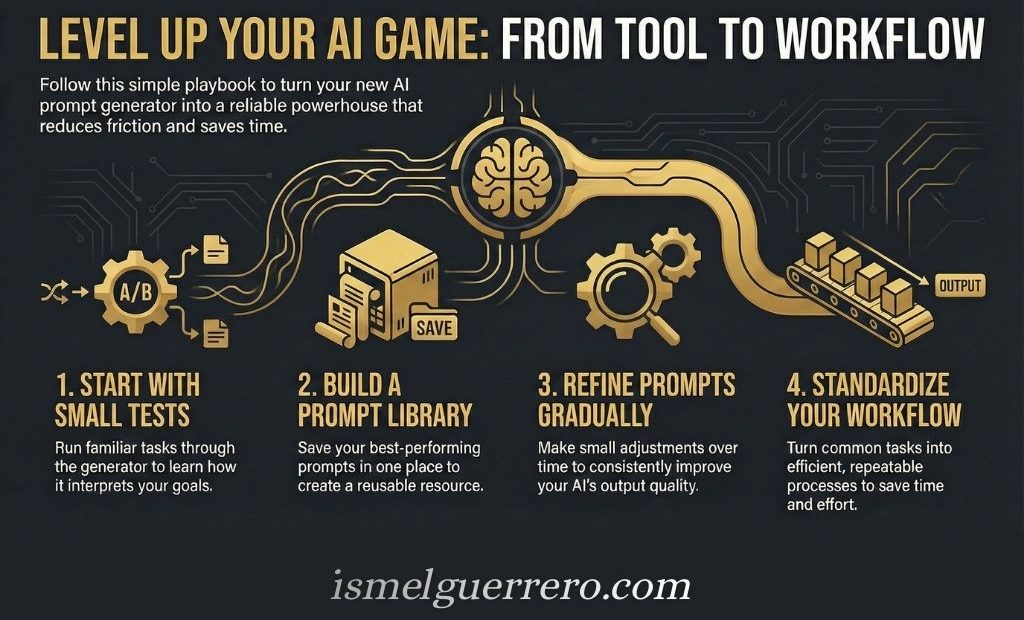
The best prompts often come from your own work.
When a prompt performs well, save it. Over time, you can build a personal library of prompts for articles, emails, product descriptions, research summaries, images, workflows, and quality checks.
That library can become more valuable than any single prompt generator because it is built around your actual workflow.
Conclusion
Prompt generators are useful because they make AI easier to direct.
They help turn rough ideas into clearer instructions, which can improve the quality, structure, and consistency of AI outputs. That makes them valuable for writing, marketing, SEO, brainstorming, productivity, and creative work.
The best prompt generator is not always the one with the largest library or the most features. It is the one that fits the way you actually work.
If you need flexibility, ChatGPT may be enough. If you want ready-made templates, AIPRM or Jasper may fit better. If you want to improve rough prompts, PromptPerfect gives you a more focused option. If you work with visual AI, PromptHero is more relevant than a general writing tool.
Start with one tool. Test it on a task you repeat often. Save the prompts that work, improve the ones that do not, and build a small library around your own workflow.
A good prompt generator does not replace your judgment. It gives your judgment a clearer starting point.
FAQ
Frequently Asked Questions
What Is A Prompt Generator?
A prompt generator is a tool that helps you create clearer instructions for an AI tool.
It can turn a rough idea into a more structured prompt by adding details such as context, audience, tone, format, constraints, and the desired outcome.
What Is The Best Prompt Generator?
The best prompt generator depends on your workflow.
ChatGPT is a strong flexible option for custom prompts. AIPRM may fit users who want ready-made templates. PromptPerfect is useful for refining rough prompts. PromptHero is better for visual and image prompts.
Are Prompt Generators Free?
Some prompt generators are free, while others use paid plans or freemium models.
Free tools may be enough for occasional use. Paid tools may make more sense if you use AI often for writing, marketing, SEO, design, or client work.
Do Prompt Generators Work With ChatGPT?
Yes. Many prompt generators are designed to create prompts that can be copied into ChatGPT.
Some tools also integrate directly with ChatGPT or provide templates specifically made for ChatGPT workflows.
Are Prompt Generators Only For Beginners?
No. Beginners use prompt generators to avoid starting from a blank page, but experienced users can also use them to save time, standardize workflows, and test new prompt structures.
The value depends on how well the tool supports the work you repeat often.
Can Prompt Generators Improve AI Writing?
Yes, they can improve the starting instruction, which can lead to better AI writing.
A stronger prompt can clarify the topic, reader, tone, structure, and purpose. But the final output still needs review, editing, and judgment.
What Is The Difference Between A Prompt Generator And A Prompt Library?
A prompt generator helps create or refine a prompt based on your task.
A prompt library gives you prewritten prompts or templates you can copy and adapt. Some tools include both features.
Are Image Prompt Generators Different?
Yes. Image prompt generators focus on visual details.
They help describe the subject, style, lighting, composition, mood, colors, and perspective. These details matter more for image models than they do for text-based AI tools.
Should I Use A Prompt Generator Or Write My Own Prompts?
Use whichever gives you better results.
A prompt generator can help when you need structure, ideas, or consistency. Writing your own prompts may be better when you already know the task, audience, and format clearly.
Do Prompt Generators Replace Editing?
No.
Prompt generators can improve the instruction you give to an AI tool, but they do not guarantee a perfect output. You still need to check accuracy, improve clarity, remove generic language, and make sure the final result fits your goal.
I'm Ismel Guerrero, an internet marketer with experience in affiliate marketing, content creation, lead generation, and email marketing.
I've worked on my own online projects, written over 100 articles, created more than 80 lead magnets, and generated over 1,000 leads. Along the way, I've learned that understanding the fundamentals matters more than chasing the next system or shortcut.
Right now, I'm focused on using AI to research ideas, create content, and make everyday marketing tasks easier, while creating simple systems and tools that entrepreneurs can put to work in their own businesses.
My long-term vision is to help entrepreneurs develop valuable skills, create useful content, and build digital assets they can leverage, so they can approach online business with greater clarity, confidence, and independence.
DFY digital products promise a shortcut. But what exactly is the opportunity behind that promise? Done-for-you digital products offer entrepreneurs access to ready-made resources they can put to work in their businesses. From marketing materials Read more
PLR digital products tend to create two unhelpful reactions. Some people see them as an easy shortcut. Others write them off as low-value from the start. Neither view gets to the real issue. The value Read more
Introduction Potential customers can leave before an offer gets a fair look. They click, reach a page that does not connect with what caught their interest, and move on. A bridge page helps make that Read more


0 Comments